
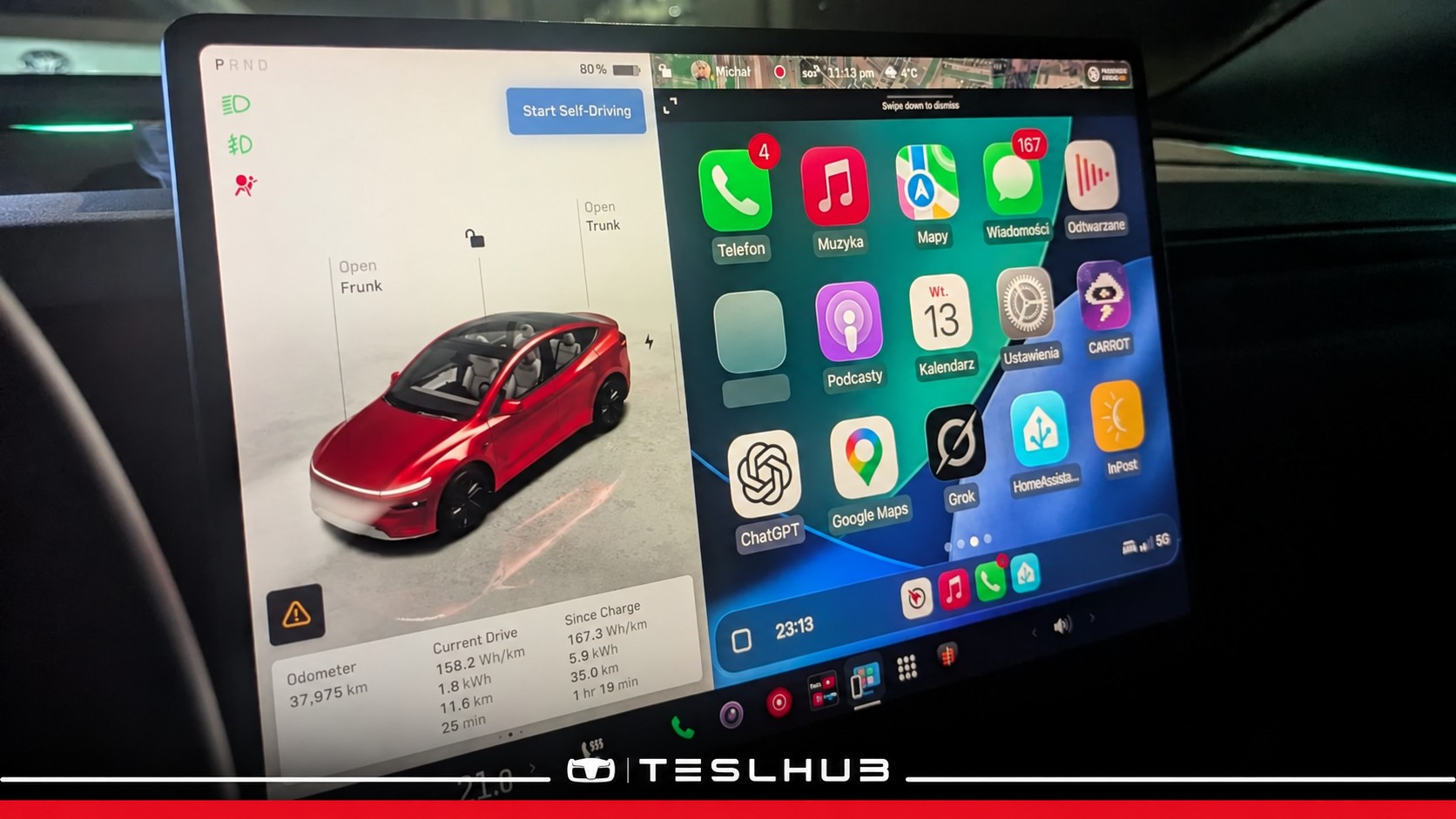
CarPlay and AirPlay on a Tesla, directly on the central display: two developers have shown something many owners have wanted to try for some time. Michał Gapiński and Maciej Wilczyński shared their demonstrations between 13 and 14 October.
Before getting carried away, the essential point needs to be clear: this is an independent project using a modified software environment, enabled through CoilShift. It is not a Tesla announcement and does not mean these features have arrived in a regular update.
CarPlay on the Tesla display, without going through the browser
Gapiński describes his implementation as a native integration, without a browser or external adapters. In the demonstration, CarPlay occupies the right-hand side of the screen, while Tesla’s controls and vehicle visualisation remain visible on the left.
The screen shows iPhone apps including Phone, Music, Maps and Podcasts, alongside other compatible applications. The effect will be familiar to anyone who has used CarPlay in other cars, but here it appears within a modified Tesla interface.
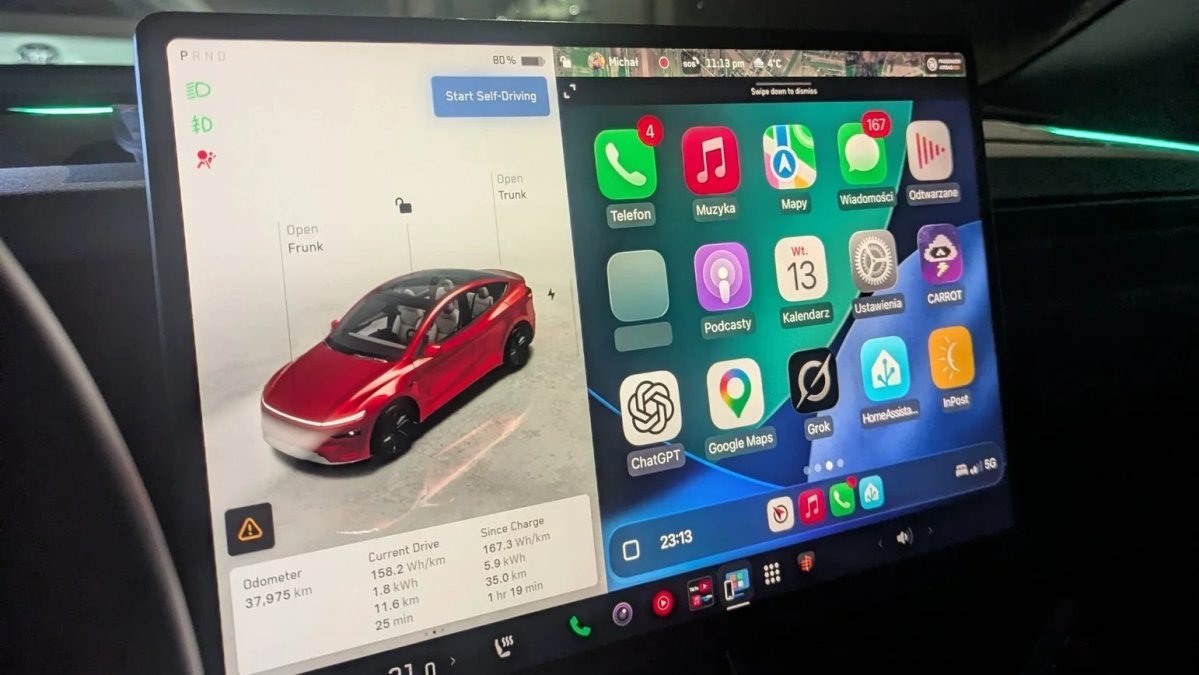
The developer also said he had Siri working through the car’s microphones, along with lossless audio. These are results reported by the project’s creator: we have not tested the vehicle ourselves and do not automatically extend those findings to every Tesla.
AirPlay: using the car’s display as a second screen
Wilczyński’s demonstration concerns AirPlay. The video presents the Tesla display as an external screen for Apple devices. The creator specifies that this is a development preview: the image still has black borders, which he intends to remove in the final version.
Although both belong to Apple’s ecosystem, CarPlay and AirPlay serve different purposes. The former provides an interface for compatible apps in the car; the latter transmits content or a screen from a device. Seeing them within the same project does not make them the same feature.
Watch the original AirPlay demonstration shared by Maciej Wilczyński.
What changes for Tesla owners in Italy?
For now, this is not an official feature available to Italian owners. The demonstrations show what the developers achieved in their modified environment; they do not establish general compatibility, a public installation procedure or a release date.
It helps to distinguish three stages: getting a technology to work on a test car, making it reliably usable by other owners, and integrating it as an officially supported feature. The images document the first; the other two need separate confirmation.
We would therefore not read the video as a promise of an upcoming Tesla update. It is an interesting demonstration worth following as it develops, but not a reason to expect a CarPlay icon on your display after the next installation.
A demonstration that sparks curiosity again
What we like most is seeing two ecosystems coexist on the same screen. People who appreciate Tesla’s interface might continue to prefer it; frequent iPhone app users would have an alternative. The ability to choose would be the real added value.
The same interest in display developments applies to the Tesla Automations we recently covered. There too, it is important to distinguish previews from what is already active in our cars.
Stay up to date with Teslhub
Don’t want to miss the next developments? Subscribe to our Telegram channel and follow us on WhatsApp for all the news, straight to your smartphone.
To talk about Tesla, ask questions and share your experience, join Teslhub Members, our Telegram community. Would you use CarPlay, or do you prefer the apps already integrated into the car?
See you in the next article or on our social channels. Until next time!
Alessandro Marmaglio
Founder of Teslhub


Let’s discuss it
Experiences, questions and perspectives from the Teslhub community.
Please keep the discussion respectful. Members’ comments are moderated before publication.
Start the conversation. Leave the first comment.