

Tesla began rolling out its 2026.14 Spring Update, adding new features while refining existing ones. This article covers the first set of release notes, so availability could vary by model, hardware and market. Not every feature was relevant to Italy at publication, but the broader package offered a useful picture of the software’s direction.
The main changes
Pet Mode personalisation

Pet Mode, labelled Modalità Cane in Italy, became more personal: the release notes described the option to choose a pet type and give it a name. It was a small visual touch that made an existing feature feel more individual.
A new Self-Driving app

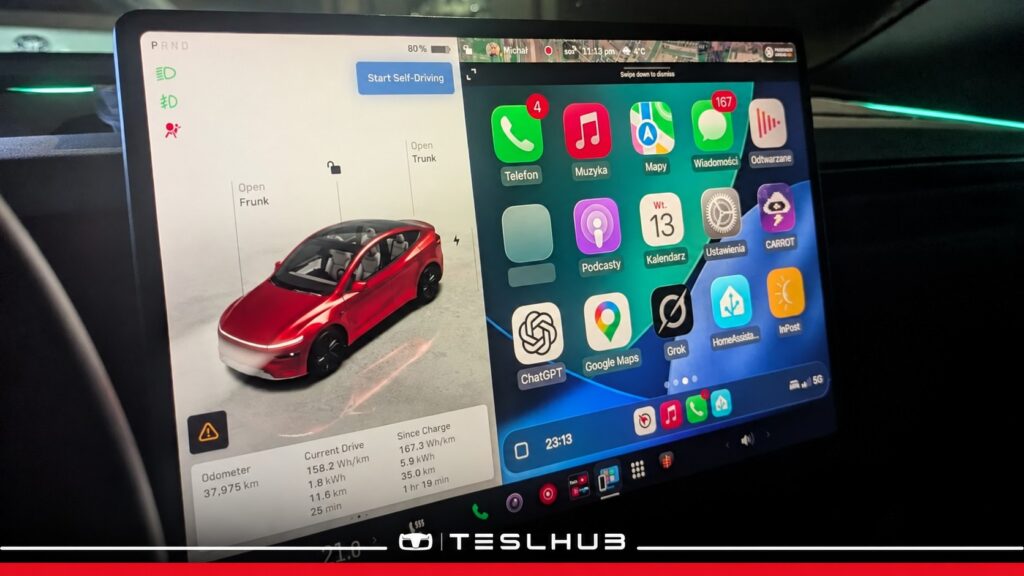
A new Self-Driving app was designed for supported HW4 cars using supervised driving assistance. It brought together subscription access, guidance on activating and using the system, and dedicated statistics. At publication, the article did not consider the full feature relevant to Italy because local availability remained limited and depended on the rollout. The system still required driver supervision.
“Hey Grok” voice activation

On compatible AMD systems, the update introduced the “Hey Grok” wake phrase. Tesla’s instructions placed the option in Grok > Settings. The assistant could also handle location-based reminders, such as remembering to buy milk near home. The article noted that the precise timing and scope of Italian availability still needed clarification.
Improved 3D visualisations

Visual Updates improved the quality of the on-screen vehicle rendering and the parked environment. It was a visual refinement rather than a change to the physical car, giving the interface a more polished everyday appearance.
Sketchpad stickers and emoji

Sketchpad gained stickers and emoji. Drawings could be saved, found in the mobile app and shared, with Tesla app version 4.55.6 or later required for the described integration.
Blind spot lighting changes

On compatible vehicles, ambient lighting could turn red when an object was in the blind spot with the indicator on, or when an approaching object was detected while parked. This added a visible warning alongside the existing functions; it did not replace checking the surroundings.
Apple Music and Spotify queue controls

Apple Music and Spotify received more convenient queue controls. Swiping right on a track added it to the queue. In Apple Music, a long press could add or remove a favourite; in Spotify, swiping left could add or remove a liked track.
Automatic overnight software installation

Automatic software installation offered another convenience. Enabled through Controls > Software > Automatically Install Updates, it let downloaded updates install overnight while the car was parked and not in use.
Dashcam Viewer changes

The Dashcam changes included up to 24 hours of recent recordings and the option to save clips in the car or on a phone. Mobile viewing required View Live Camera via Mobile App under Controls > Safety. Downloaded phone clips could include speed, steering angle and driver-assistance status.
Clearer weather maps

Weather maps used clearer colours to distinguish rain and snow and added a view of the previous hour’s weather data. The feature required Premium Connectivity and was opened from the weather icon on the map.
Keyboard and dictation languages work together

The selected keyboard language also became the dictation language. The international keyboard button let users switch both without changing the separate voice-command language.
Security fixes

The update also included security fixes and general improvements.
💶 REFERRAL PROGRAMME 🚘
The referral benefit described at publication
Click the following link to apply the referral and order the car through the normal purchase process (or copy and paste it into Google):
https://www.Teslhub.com/Vantaggio
👏 That’s it!
The referral link is also available in our bio under “Buy a Tesla” and in our website menu under the same heading.
🌐 STAY UP TO DATE 📢
If you do not want to miss any news, these are great places to stay up to date.
Join Teslhub Members: a Telegram community where you can talk, ask questions and share Tesla experiences with us and other members. You can also find us on WhatsApp!
Enjoy reading, and see you in the next article or on any of our social channels.
Until next time!
Giorgio Rebecchi
Editor


Let’s discuss it
Experiences, questions and perspectives from the Teslhub community.
Please keep the discussion respectful. Members’ comments are moderated before publication.
Start the conversation. Leave the first comment.